Weather Underground: connect your station
Your station's API key and ID. About the app
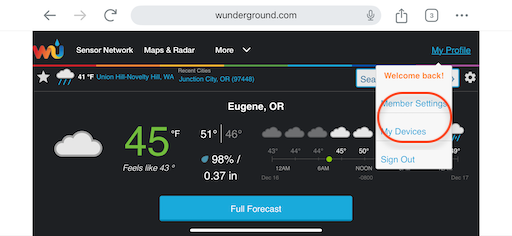
Step 1
Sign in at wunderground.com, open My Profile and choose My Devices.
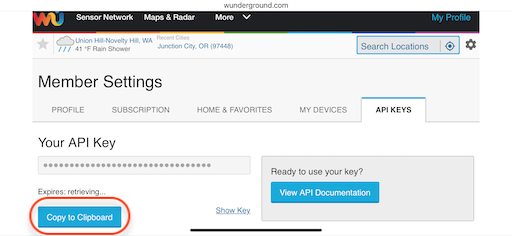
Step 2
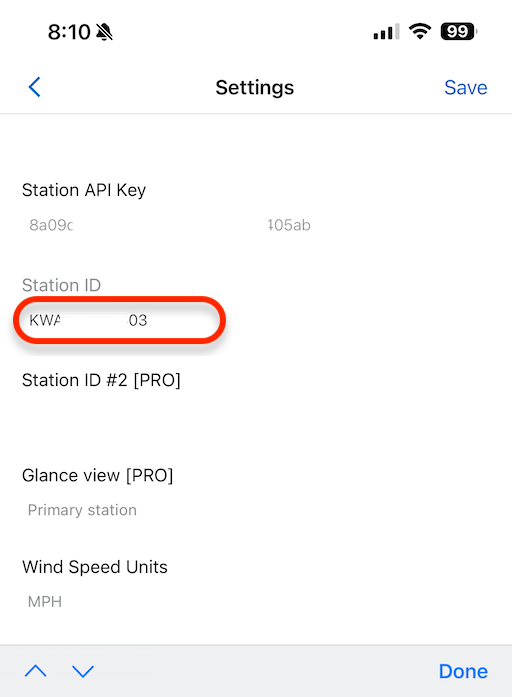
On the API Keys tab, choose Copy to Clipboard below Your API Key, then paste it into the app's Station API Key setting in Connect IQ.
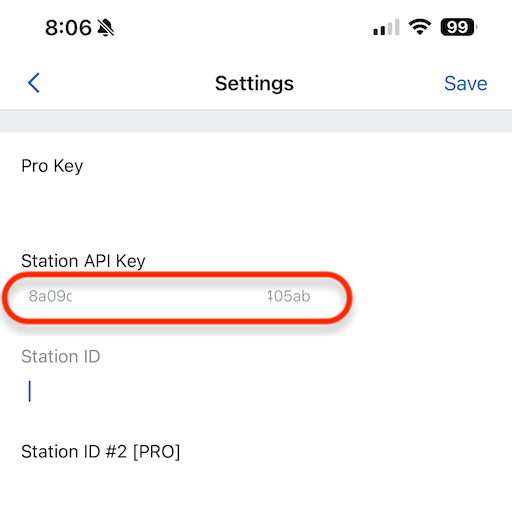
Step 3
Back in the browser, open the My Devices tab and copy your station's ID.
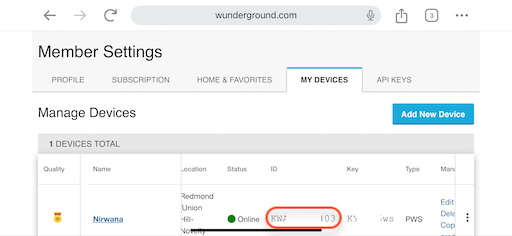
Step 4
Paste it into the app's Station ID setting.
Step 5
Tap Save.